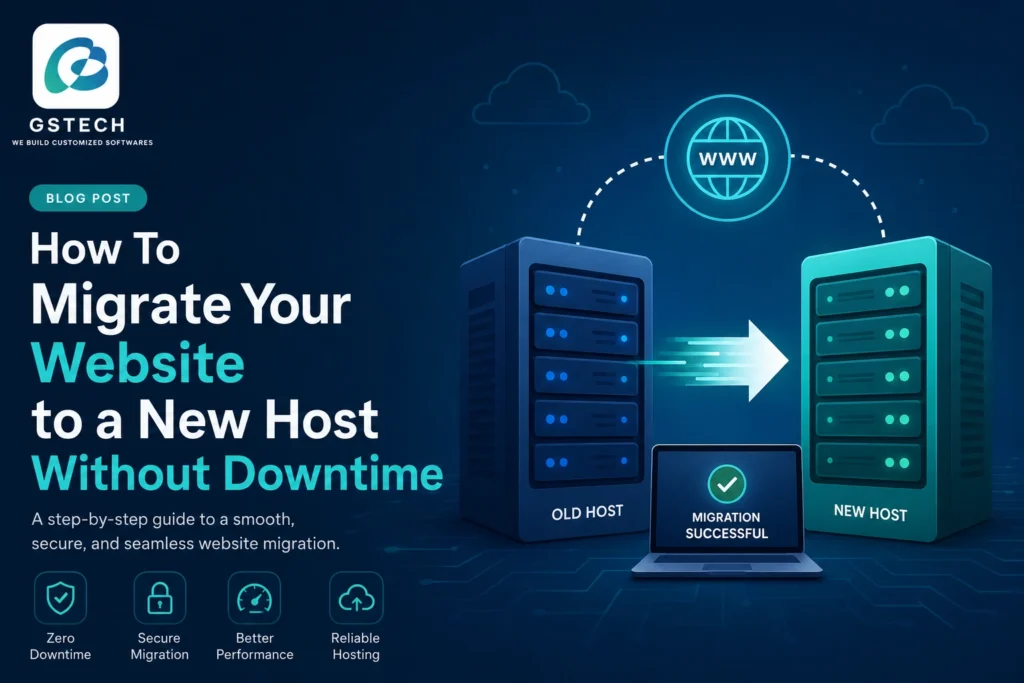
Moving your website to a new hosting provider can improve performance, security, and reliability, but many business owners worry about losing visitors during the transition. The good news is that website migration without downtime is entirely possible when planned correctly.
In this guide, we’ll explain the exact steps required to perform a website migration without downtime, ensuring your visitors continue accessing your website while you move to a new hosting environment.
What Is Website Migration Without Downtime?
Website migration without downtime is the process of transferring your website, database, email accounts, SSL certificates, and DNS settings to a new hosting provider without making your website unavailable to visitors.
By keeping both hosting environments active during the transition, businesses can avoid interruptions, lost sales, SEO issues, and customer frustration.
Why Businesses Perform Website Migration Without Downtime
Organizations migrate websites for many reasons:
- Faster website performance
- Better security features
- Improved uptime guarantees
- Cost savings
- Scalable cloud infrastructure
- Better customer support
- Enhanced backup and disaster recovery
A properly executed website migration without downtime allows businesses to enjoy these benefits without disrupting users.
Step 1: Audit Everything Before Migration
Before starting your migration, create a complete inventory of:
Website Files
- HTML, CSS, JavaScript files
- Media files and uploads
- Themes and plugins
Database
- MySQL or PostgreSQL databases
- User accounts
- Website content
Email Accounts
- Business email addresses
- Email forwarding rules
- Email archives
SSL Certificates
- Existing certificates
- Renewal dates
DNS Records
- A Records
- CNAME Records
- MX Records
- TXT Records
Missing even one component can create problems during your website migration without downtime.
Step 2: Set Up the New Hosting Environment
Never cancel your current hosting account before the migration is complete.
Instead:
- Purchase and configure the new hosting account
- Install required software
- Configure security settings
- Set up databases
- Configure email services
Running both servers simultaneously is the foundation of successful website migration without downtime.
Step 3: Create a Complete Website Backup
Before making any changes, create multiple backups.
Backup Website Files
Download all website files using:
- FTP
- cPanel File Manager
- Hosting backup tools
Backup Database
Export your database using:
- phpMyAdmin
- MySQL Dump
- Hosting control panel tools
Backup Emails
If emails are hosted on the server, export important mailboxes.
A backup provides a recovery option if something goes wrong during your website migration without downtime.
Step 4: Transfer Files and Database
Upload your website files to the new server using FTP or the hosting file manager.
Next:
- Create a new database.
- Import the old database.
- Update database credentials.
- Verify file permissions.
For WordPress websites, migration plugins can simplify this process significantly.
Step 5: Test the Website Before Going Live
Testing is the most important stage of website migration without downtime.
Most hosting providers offer:
- Temporary URLs
- Staging environments
- Hosts file preview methods
Verify:
- Homepage functionality
- Contact forms
- Login systems
- Ecommerce checkout
- Images and media
- Internal links
- SSL functionality
Fix any issues before proceeding.
Step 6: Reduce DNS TTL Settings
Lower your DNS Time To Live (TTL) value 24–48 hours before migration.
Recommended TTL:
300 seconds (5 minutes)
Lower TTL values allow DNS changes to propagate much faster, reducing the risk of downtime.
This is a critical step in achieving website migration without downtime.
Step 7: Update DNS Records
Once testing is complete:
- Update A Records
- Update Nameservers (if required)
- Verify MX Records
- Confirm SSL configuration
Because both servers remain active, visitors continue accessing the website while DNS propagation occurs.
This ensures a smooth website migration without downtime experience.
Step 8: Monitor the Migration
After updating DNS:
Monitor Website Availability
Check:
- Website uptime
- Page speed
- SSL status
- Error logs
Monitor Email Services
Verify:
- Incoming email delivery
- Outgoing email delivery
- Email forwarding
Monitor Analytics
Track:
- Traffic levels
- User behavior
- Conversion rates
Monitoring helps identify issues before they affect customers.
Step 9: Keep the Old Hosting Active
One of the biggest mistakes during website migration without downtime is cancelling the old hosting account too soon.
Keep the previous server active for:
- Minimum: 7 days
- Recommended: 14 days
This allows enough time for DNS propagation worldwide.
Common Mistakes That Cause Downtime
Avoid these common errors:
Cancelling the Old Host Too Early
Visitors may still reach the old server during DNS propagation.
Forgetting Email Migration
Missing MX records can stop email delivery.
Skipping Testing
Undetected database or configuration issues can break the website after launch.
No Backup Strategy
Without backups, recovery becomes difficult if migration fails.
Incorrect DNS Configuration
Misconfigured DNS settings are among the most common causes of migration problems.
When Should You Hire a Professional?
Consider expert assistance if your website includes:
- Ecommerce stores
- Membership systems
- Custom CRM platforms
- Enterprise applications
- Large databases
- Multi-site environments
Professional migration services reduce risks and help guarantee website migration without downtime.
Final Thoughts
A successful website migration without downtime requires planning, testing, backups, and careful DNS management. By keeping both hosting environments active, validating every component before switching DNS, and monitoring performance afterward, businesses can migrate websites safely without affecting visitors or search engine rankings.
Whether you’re moving a WordPress website, ecommerce store, corporate portal, or custom web application, following these best practices will help ensure a smooth and successful migration.