Learn 10 essential WordPress website maintenance tasks to improve security, speed, performance, backups, SEO, and reliability.Launching a WordPress website is only the beginning. Like any business technology, your website needs regular maintenance to remain secure, fast, functional, and reliable.
Ignoring website maintenance can lead to outdated software, security vulnerabilities, broken forms, slow loading speeds, and compatibility problems.
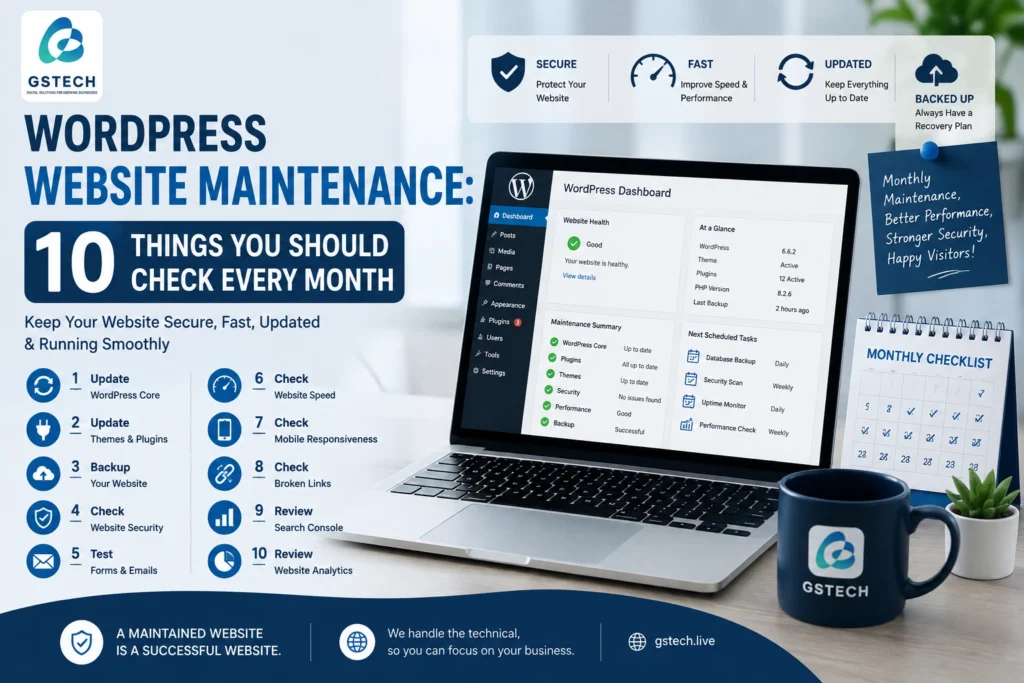
Here are 10 important WordPress maintenance tasks you should check every month.
1. Update WordPress Core
WordPress regularly releases updates that can include security fixes, performance improvements, and new features.
Before updating WordPress, make sure you have a recent backup.
2. Update Plugins and Themes
Outdated plugins and themes are among the common causes of WordPress security and compatibility problems.
Check your website regularly for available updates.
However, don’t blindly update everything on a production website. Important websites should be backed up and tested before major updates.
3. Create Regular Backups
A backup gives you a recovery option if something goes wrong.
Your backup strategy should ideally include:
- Website files
- Database
- Uploaded media
- Configuration files
Keep backups separate from your main hosting environment whenever possible.
4. Check Website Security
Review your website for unusual activity.
Look for:
- Unknown administrator accounts
- Suspicious plugins
- Unexpected files
- Failed login attempts
- Malware warnings
- Strange redirects
Using strong administrator passwords and appropriate security measures can significantly reduce risks.
5. Test Contact Forms
A contact form that doesn’t send messages can silently cost your business leads.
Test important forms regularly and make sure emails are being delivered successfully.
Also check:
- Phone number links
- WhatsApp buttons
- Newsletter forms
- Booking forms
- Quote request forms
6. Check Website Speed
Website performance can change over time as new plugins, scripts, images, and content are added.
Check important pages for:
- Loading speed
- Large images
- Excessive JavaScript
- Unnecessary CSS
- Third-party scripts
- Server response time
Speed optimization should be an ongoing process rather than a one-time task.
7. Check Mobile Responsiveness
A website can look perfect on a desktop computer but have problems on smartphones.
Test your website on different screen sizes.
Pay particular attention to:
- Navigation menus
- Buttons
- Forms
- Images
- Text size
- Spacing
- Tables
- Popups
8. Check Broken Links
Broken links can create a poor user experience and make your website appear neglected.
Check internal links, important external links, navigation menus, and calls to action.
Fix or remove links that no longer work.
9. Review Google Search Console
Google Search Console can provide valuable information about how your website performs in search.
Check for:
- Indexing problems
- Search queries
- Page performance
- Mobile usability issues
- Security problems
- Core Web Vitals
Regular monitoring can help you identify problems before they become serious.
10. Review Website Analytics
Analytics can show you what visitors are doing on your website.
Look at:
- Most visited pages
- Traffic sources
- Landing pages
- Conversion actions
- Device usage
- Geographic traffic
This information can help you improve your website based on actual visitor behavior.
Why Monthly Website Maintenance Matters
Without regular maintenance, small problems can become expensive problems.
For example, an outdated plugin might eventually cause a compatibility issue. A broken contact form could result in lost leads. A slow website could reduce engagement. A security vulnerability could potentially compromise the entire website.
Regular maintenance helps you identify these problems early.
Should You Maintain Your WordPress Website Yourself?
Small website owners can handle some basic tasks themselves.
However, professional maintenance may be worthwhile if your website generates leads, processes payments, contains customer information, or is critical to your business.
A professional WordPress maintenance service can handle updates, backups, security monitoring, performance checks, and troubleshooting.
Final Thoughts
A WordPress website should never be considered “finished.”
Regular maintenance helps keep your website secure, fast, functional, and ready to serve your customers.
If your business depends on your website, investing in ongoing WordPress maintenance can be much less expensive than dealing with a major website failure later.