Core Web Vitals WordPress optimization is important for improving website speed, user experience, and overall website performance. Visitors expect pages to load quickly, especially when browsing from smartphones. Website speed affects both user experience and the overall quality of a website.
Visitors expect pages to load quickly, especially when browsing from smartphones. A slow website can make visitors leave before they contact your business or purchase a product.
For WordPress websites, improving performance often requires a combination of hosting optimization, image compression, caching, code optimization, and careful plugin management. The hosting environment can have a significant impact on website performance. If you’re choosing hosting for a business website, our guide to web hosting solutions for small businesses explains the key factors to consider.
Core Web Vitals WordPress: Why Performance Matters?
For businesses using WordPress, Core Web Vitals WordPress performance can be affected by hosting, images, plugins, JavaScript, and third-party scripts.
Testing Core Web Vitals WordPress performance regularly can help identify problems before they affect a large number of visitors.
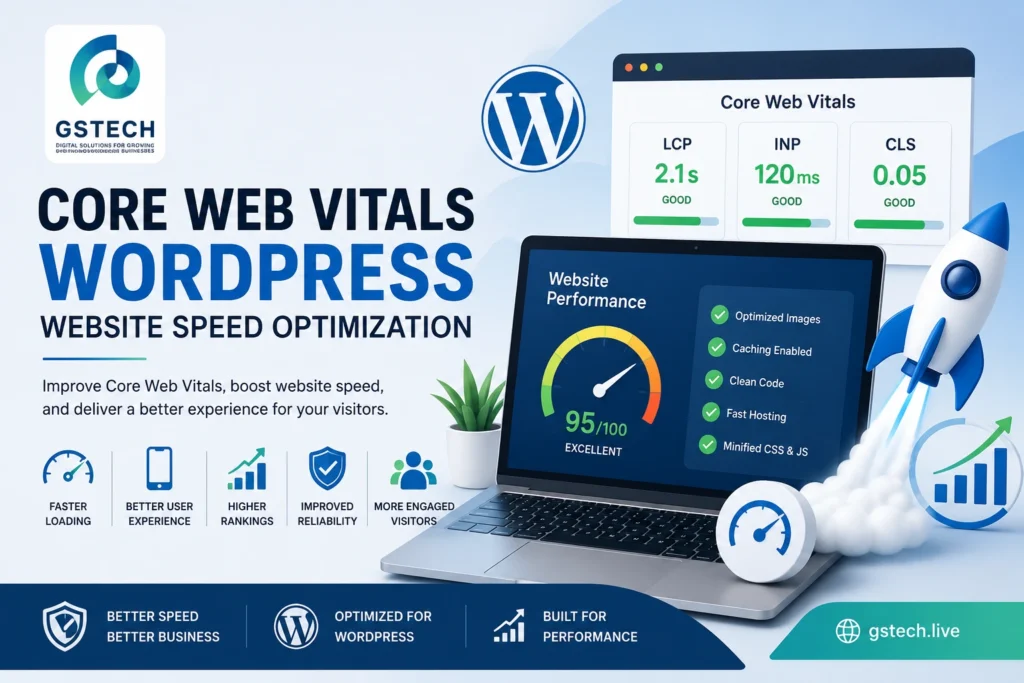
Google provides detailed guidance on Core Web Vitals, including LCP, INP, and CLS, and recommendations for improving each metric.
They focus on areas such as:
- Loading performance
- Interactivity
- Visual stability
Three important metrics are commonly discussed:
Largest Contentful Paint
LCP measures how quickly the main content becomes visible.
A large hero image, slow server response, or render-blocking resources can negatively affect LCP.
Interaction to Next Paint
INP evaluates how responsive a page is when users interact with it.
Excessive JavaScript can make interactions feel slow.
Cumulative Layout Shift
CLS measures unexpected movement of page elements while a page loads.
Images without defined dimensions, advertisements, and dynamically loaded content can contribute to layout shifts.
Why Is My WordPress Website Slow?
There isn’t always one single reason.
Common causes include:
- Slow hosting
- Large images
- Too many plugins
- Poorly optimized themes
- Excessive JavaScript
- Third-party scripts
- Poor caching
- Unoptimized fonts
- Large videos
- External API requests
1. Optimize Images
Large images are one of the easiest performance problems to identify.
Before uploading images:
- Resize them appropriately
- Compress them
- Use modern formats where suitable
- Avoid uploading extremely large originals
Don’t use a 5000-pixel image when the website only displays it at a fraction of that size.
2. Use Caching
Caching allows frequently requested content to be served more efficiently.
Depending on your hosting environment, you may be able to use:
- Page caching
- Browser caching
- Object caching
- CDN caching
Caching should be configured carefully and tested after changes.
3. Reduce Unnecessary Plugins
Plugins are useful, but every additional plugin can potentially add scripts, database queries, or other overhead.
Review your plugins regularly.
Remove plugins that are:
- Unused
- Duplicating another plugin
- No longer maintained
- Unnecessary
4. Optimize JavaScript
JavaScript can affect interactivity and loading performance.
Review unnecessary scripts and third-party integrations.
Marketing tools, analytics, chat widgets, social media embeds, and other external services can all contribute to page weight.
5. Improve Hosting Performance
A website cannot always be optimized entirely from WordPress.
If the server is slow, the website may still have poor performance even after extensive optimization.
Consider:
- Server response time
- Available resources
- Database performance
- Server location
- Caching technology
- CDN support
6. Use a CDN Where Appropriate
A Content Delivery Network can serve static website resources from locations closer to visitors.
This can be particularly useful for businesses serving customers in multiple countries.
7. Optimize Fonts
Fonts can also affect page performance.
Avoid loading unnecessary font families and weights.
For example, a website that only needs regular and bold text doesn’t necessarily need ten different font variations.
8. Be Careful with Page Builders
Page builders such as Elementor can make website design much easier, but poorly structured pages can become unnecessarily large.
Use clean layouts and avoid excessive nested sections, animations, widgets, and unnecessary effects.
9. Test After Every Major Change
Don’t assume that a performance optimization improved your website.
Test before and after changes using appropriate performance tools.
Compare:
- LCP
- INP
- CLS
- TTFB
- Page size
- Number of requests
Final Thoughts
Improving WordPress performance isn’t about applying one magic setting.
A fast website usually requires a combination of good hosting, optimized images, efficient caching, careful plugin selection, optimized code, and regular performance testing.
If your WordPress website is slow, a professional performance audit can help identify the actual bottlenecks instead of relying on random optimization settings.