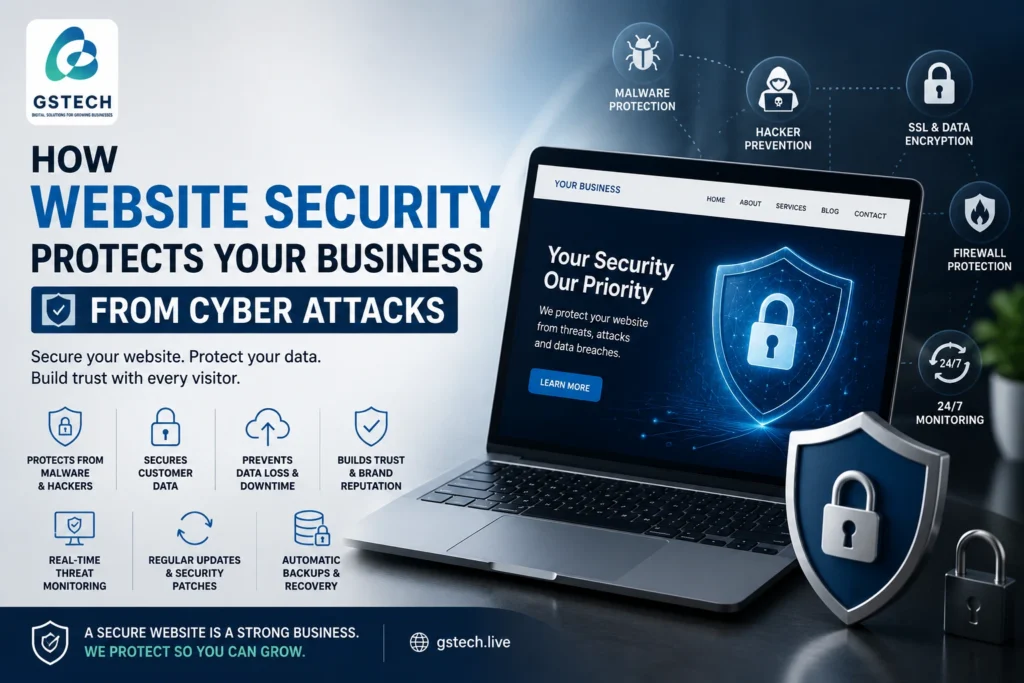
Website security protects your business from malware, hacking, unauthorized access, data loss, and other cyber threats. Your website represents your business online, so protecting it should be an important part of your business strategy. Your website represents your business online, but it can also become a target for automated attacks, malware, unauthorized access, and other security threats.
For small businesses, website security is particularly important because a compromised website can damage your reputation, disrupt operations, and potentially expose sensitive information.
Why Website Security Matters
A hacked website can cause serious problems.
Attackers may:
- Add malicious code
- Redirect visitors to unwanted websites
- Create unauthorized administrator accounts
- Steal information
- Inject spam pages
- Deface the website
- Distribute malware
- Send spam emails from the website
Even a small business website can become a target because many attacks are automated.
Common WordPress Security Risks
Outdated Plugins
Plugins add functionality to WordPress, but outdated plugins can contain security vulnerabilities.
Keep plugins updated and remove plugins that are no longer required.
Weak Passwords
Simple passwords can make administrator accounts easier to compromise.
Use strong, unique passwords and enable two-factor authentication where appropriate.
Unused Administrator Accounts
Review administrator accounts regularly.
Remove accounts that are no longer required and ensure every user has only the permissions they actually need.
Poor Hosting Security
Your hosting environment also plays an important role.
Look for hosting that provides:
- SSL certificates
- Regular backups
- Malware protection
- Server security
- Reliable support
- Monitoring
How to Protect a WordPress Website
Use HTTPS
HTTPS encrypts communication between the visitor’s browser and your website.
An SSL certificate is essential for modern websites.
Keep Everything Updated
Regularly update:
- WordPress
- Plugins
- Themes
- Server software where applicable
Always maintain backups before significant updates.
Use a Security Plugin
A reputable security solution can help monitor suspicious activity and protect against common threats.
However, security plugins should be configured carefully. Installing multiple overlapping security plugins can sometimes create conflicts.
Maintain Backups
Backups are an important part of your recovery strategy.
If your website is compromised, a clean backup can make recovery significantly easier.
Protect the Login Page
Use strong credentials and consider additional login protection such as rate limiting or two-factor authentication.
Avoid using predictable administrator usernames.
What Happens If Your Website Gets Hacked?
If you suspect your website has been compromised, don’t simply delete suspicious files and assume the problem is solved.
A proper investigation should identify:
- How the attacker gained access
- Which files were modified
- Whether administrator accounts were compromised
- Whether malware remains
- Whether passwords need to be changed
- Whether the website should be restored from a clean backup
The website should also be monitored after cleanup.
Website Security Is an Ongoing Process
There is no single plugin or setting that can guarantee complete protection.
Website security requires multiple layers:
- Secure hosting
- Strong passwords
- Software updates
- Backups
- Access control
- Malware monitoring
- SSL
- Security configuration
- Regular maintenance
How to Create a Website Security Checklist
A regular website security checklist can help businesses identify potential problems before they become serious. Check that WordPress, themes, and plugins are updated and remove any software that is no longer needed. Review administrator accounts and use strong, unique passwords. Make sure SSL/HTTPS is active and that regular backups are being created successfully. You should also monitor your website for malware, suspicious login attempts, unexpected changes, and unusual redirects. Testing your contact forms and checking important website pages regularly can also help identify problems quickly.
Final Thoughts
Your website is an important business asset, so protecting it should be part of your regular business strategy.
Whether you operate a small company website, an online store, or a larger WordPress platform, proactive security can help reduce the risk of downtime, data loss, and reputational damage.
If your WordPress website hasn’t been reviewed recently, a professional security and maintenance audit can help identify potential weaknesses before attackers do.